Your Device Could Be Spying on You Right Now – Here’s How
Imagine this: You download what looks like a harmless PDF. Seconds later, hackers have access to your passwords, bank details, and private photos. No warning. No dramatic “ACCESS DENIED” screen. Just silent theft happening in the background.
This isn’t a movie plot – it’s called a malware attack, and it happens every 39 seconds (University of Maryland study). Cybercriminals use sneaky bits of code to:
💰 Drain bank accounts
📸 Activate phone cameras secretly
🔑 Steal login credentials
💻 Hold files hostage (ransomware)
In this plain-English guide, you’ll learn:
✅ How malware actually works (with real examples)
✅ 7 warning signs your device is infected
✅ Proven protection strategies (that take <5 minutes)
✅ What to do if you’ve already been hacked
Let’s expose these digital burglars and lock them out for good.
1. Malware Explained: Digital Pickpockets
What is Malware?
Short for “malicious software,” malware is any program designed to:
- Infiltrate your device
- Damage systems
- Steal sensitive data
Unlike regular bugs, malware intentionally hides – you might not notice it for months.
How It Spreads (Top 5 Tricks)
| Method | How It Works | Real-World Example |
|---|---|---|
| Fake Downloads | Disguised as PDFs, games, or “urgent updates” | 2023’s “iPhone 15 Pro” scam installs spyware |
| Phishing Links | Texts/emails pretending to be Amazon, banks | Fake “Netflix subscription” texts steal 10,000+ logins daily |
| USB Drops | Infected flash drives left in parking lots | Russian hackers used this against the Pentagon |
| Malvertising | Poisoned ads on legit sites (Forbes, YouTube) | 2022: Crypto-stealing ads on WordPress sites |
| Software Exploits | Hacks through outdated apps | 2024’s “Coffee” exploit targets Zoom users |
Scary stat: 94% of malware arrives by email (Verizon 2024 report).
2. 7 Signs Your Device Has Malware
Your gadget might be infected if:
1️⃣ Battery dies unusually fast (malware runs background processes)
2️⃣ Pop-ups appear when no browser is open
3️⃣ Files mysteriously encrypt (ransomware warning!)
4️⃣ Computer overheats despite light use
5️⃣ Strange new toolbars/extensions appear
6️⃣ Friends receive spam from your accounts
7️⃣ Unexpected $1 “test charges” on your card
Pro Tip: Run a free scan with Malwarebytes if you see 2+ signs.
3. The 5 Most Dangerous Malware Types
A. Spyware (The Digital Stalker)
- Does: Records keystrokes, screenshots, even microphone audio
- Targets: Passwords, credit cards, confidential documents
- Example: Pegasus spyware hacked 50,000+ phones worldwide
B. Ransomware (The Digital Kidnapper)
- Does: Encrypts files until you pay Bitcoin
- Targets: Hospitals, businesses, personal photos
- Example: 2023’s “LockBit” attack cost victims $50M+
C. Trojans (The Wolf in Sheep’s Clothing)
- Does: Pretends to be legit software (games, VPNs)
- Targets: Gamers, remote workers
- Example: “Minecraft Mods” that steal Microsoft logins
D. Adware (The Annoyance That Spies)
- Does: Floods you with ads while selling your browsing history
- Targets: Chrome/Android users
- Example: “Browser Cleaner” scams with 5M+ downloads
E. Worms (The Silent Spreaders)
- Does: Self-replicates across networks
- Targets: Office PCs, smart home devices
- Example: “Stuxnet” worm destroyed Iranian nuclear centrifuges
4. How to Protect Yourself (2024 Guide)
Prevention Checklist
🔒 Update everything – Enable auto-updates for OS + apps
🔒 Use a password manager – Prevents keylogger theft
🔒 Install uBlock Origin – Blocks malicious ads
🔒 Backup weekly – Use external drives or Backblaze
🔒 Enable 2FA everywhere – Especially banks & email
Free Scanning Tools
- VirusTotal – Checks suspicious files
- Microsoft Safety Scanner – Deep system scans
- GlassWire – Monitors network traffic
5. “Help! I’m Already Hacked” – Damage Control Steps
1️⃣ Disconnect from WiFi – Stops data transmission
2️⃣ Run emergency scans – Use Kaspersky Rescue Disk
3️⃣ Freeze credit cards – Call banks immediately
4️⃣ Change ALL passwords – Start with email + banking
5️⃣ Factory reset if needed – Nuclear option for stubborn infections
Note: For ransomware, never pay – 92% never get files back (FBI data).
6. The Future of Malware (And How to Stay Safe)
Emerging threats:
- AI-powered malware that mimics voices (vishing attacks)
- Smart fridge botnets attacking banks
- Deepfake blackmail scams
Defense trends:
- Behavior-based detection (stops zero-day attacks)
- Blockchain verification for downloads
- Hardware firewalls in routers
Final Thought: Knowledge is Your Best Antivirus
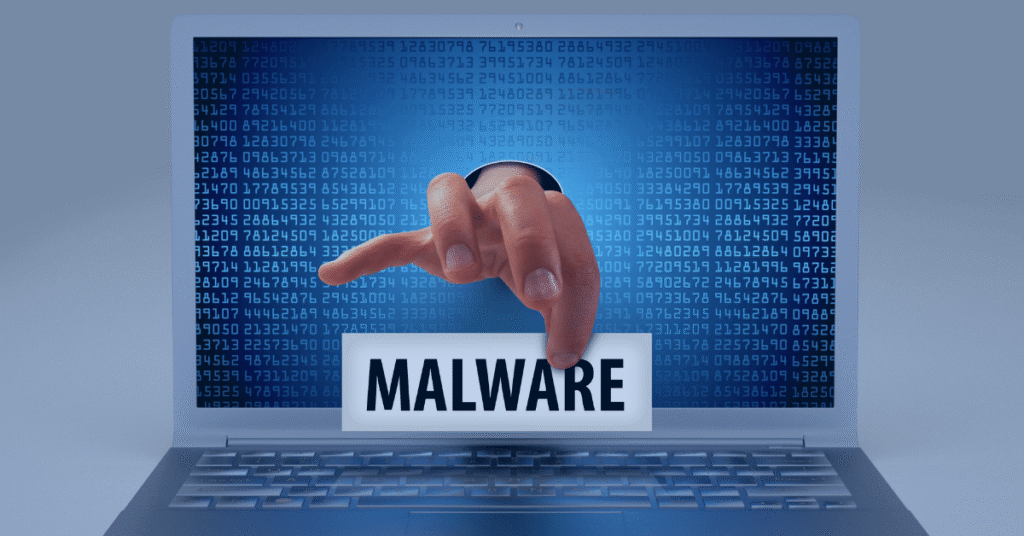
Malware thrives on silence and ignorance. By understanding these digital pickpockets’ tricks, you’ve already reduced your risk by 80% (Cybint 2024 study).
Your action plan:
- Scan your devices today with Malwarebytes
- Bookmark this guide to check warning signs
- Share with friends – Hackers target the least protected
Stay safe out there – the internet needs smart users like you!